

How to maintain an industrial point-of-use vending machine
by a.huynh |
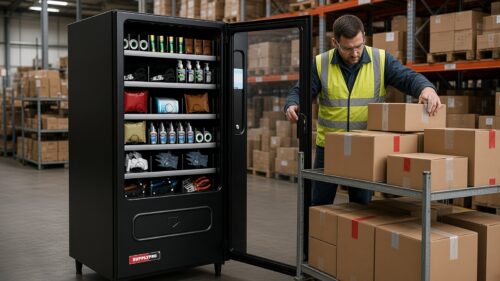
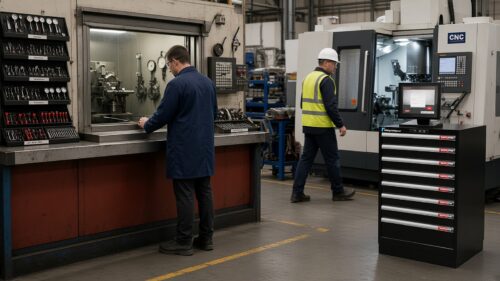
Industrial point-of-use machines control access to tools, PPE and MRO consumables at the place of work. Cabinets may use drawers or coils, while lockers and weigh-bins each have their own moving parts, sensors and software to keep in good working order.
Maintenance is about reliable issue control as well as physical condition. A jammed drawer, miscalibrated weigh-bin, faulty locker door or failed ID reader can interrupt access and leave stock records out of step.
If you already run a Tooling Intelligence or SupplyPro system and need a visit, start with service and support.
The role of reliable point-of-use issue control
Regular servicing helps the machine issue the right items to authorised users and keeps inventory information useful. Planned checks can reveal wear, connection problems and configuration issues before they disrupt a shift.
Common maintenance challenges
- Mechanical and electronic faults: Drawers or dispensing coils can jam, locker doors can fail to latch, and sensors or ID readers can stop responding. Network interruptions and software faults can also affect transactions and reporting.
- Stock accuracy: Poor replenishment discipline, unrecorded returns or incorrect counts can leave a cabinet empty when an item is needed or make the system record differ from the physical stock.
- Wear and environmental conditions: Frequent use, dust and debris can affect moving parts, contacts and sensors. Components can loosen or wear over time.
- Calibration and configuration: Weigh-bins need accurate calibration, and item, user and access settings must remain aligned with the way the site works.
- Slow fault response: Without clear checks and escalation routes, a small issue may remain unresolved and interrupt access to controlled items.
What poor maintenance means on the shop floor
A machine that is unreliable can delay access to essential tools, PPE or MRO items. Stock discrepancies make replenishment harder to plan, while repeated faults can add avoidable repair work and undermine confidence in the issue process. For safety-critical items, make sure faults are assessed promptly and suitable alternatives are available under site procedures.
Best practices for maintaining industrial vending kit
Schedule routine inspections and cleaning
- Set a regular inspection and cleaning schedule that suits usage and the operating environment.
- Check drawers, coils, motors, sensors, locker doors, latches and ID readers for wear, damage or obstruction.
- Remove dust and debris from accessible areas, and clean surfaces using the equipment maker’s instructions.
- Record inspections, faults, parts fitted and follow-up actions so that recurring issues can be identified.
Manage inventory and replenishment
- Use the inventory system to review stock levels and set appropriate low-stock prompts.
- Replenish to agreed quantities and record each refill, return or adjustment at the time it happens.
- Audit physical counts against system records and investigate discrepancies rather than masking them.
- Use first-in, first-out rotation where product life or site policy makes it appropriate.
Resolve faults safely and consistently
- Train authorised staff to follow the approved process for basic checks, jam clearance and sensor recalibration.
- Keep a troubleshooting guide and suitable essential spares available, using compatible parts approved for the equipment.
- Do not bypass safety features. Escalate electrical, repeated or otherwise complex faults to a qualified technician.
Plan servicing, spares and updates
- Use fault history and equipment condition to plan preventive servicing and keep needed spare parts available.
- Check network connections and confirm that transaction and stock data are synchronising correctly.
- Apply network and software updates through the approved process, recording changes and checking operation afterwards.
- Calibrate weigh-bins as specified and test locker doors, access controls and ID readers after relevant maintenance.
Technology that supports planned servicing
Remote monitoring and diagnostics
Where available, monitoring can show stock levels, connection status and machine faults, helping the team prioritise a visit. Use alerts as prompts for investigation and confirm the physical condition on site.
Software and configuration checks
Keep machine software and network settings under the site’s change process. After an update or configuration change, test user identification, item issue, stock recording and reporting so the system remains dependable.
Contact Tooling Intelligence
For help with an installed system, visit our service and support page to discuss servicing, spares or a fault.